Landscape on a phone three options.
Same slide, phone held sideways. A 16:9 slide can't fill a much wider phone screen without a trade-off. Here is what each choice actually looks like. (On a laptop, the new Fullscreen button fills the screen with none of these trade-offs.)
Tip: these are screenshots at real iPhone-landscape size.
Keep the logo and frame
Small dark bars on the sides, but the logo, page number and frame stay intact. Nothing is ever cut. The laptop fills fully via the Fullscreen button.
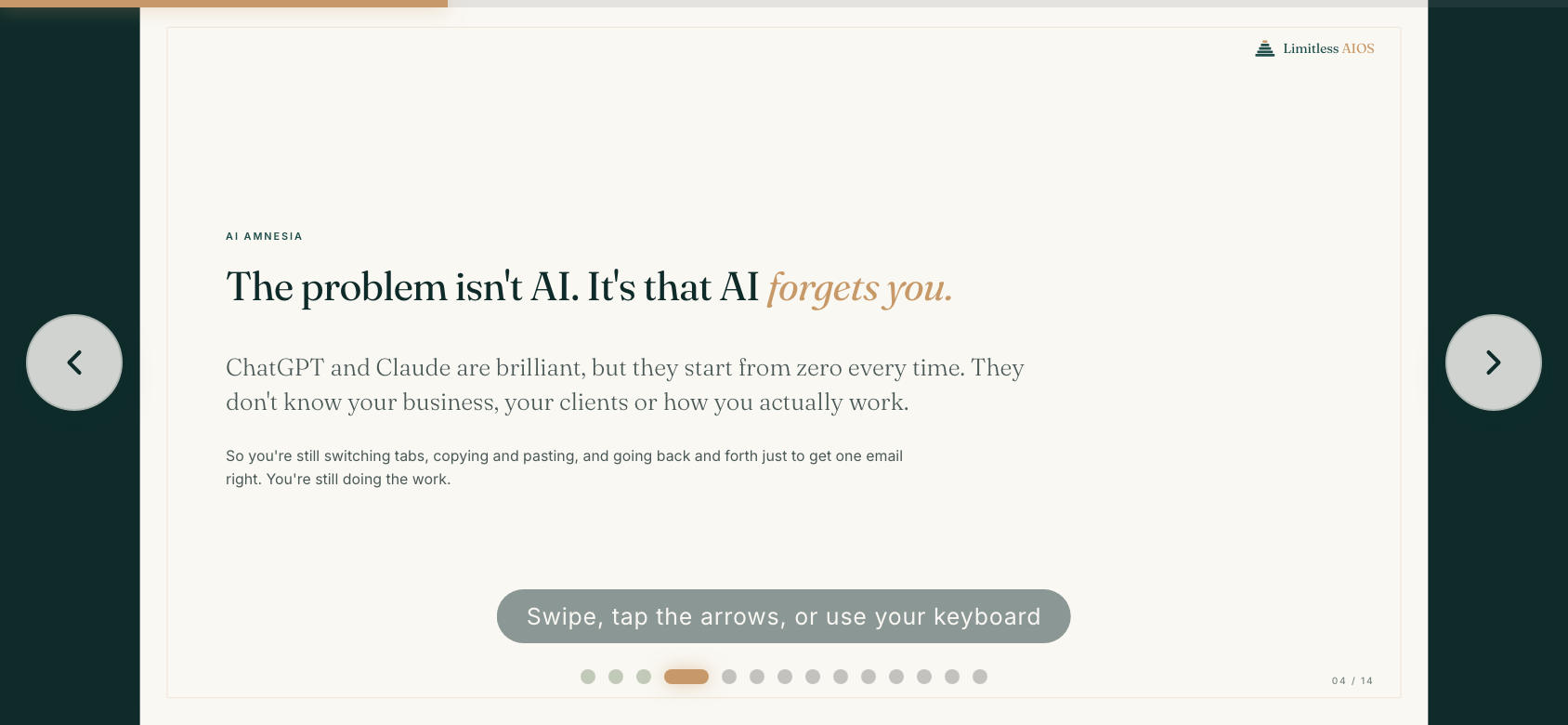
Safest for brand. The bars are the cost.
Crop to fill, no bars
Fills the screen edge to edge, bars gone. The cost: the logo and page number get cut off and the frame is trimmed. The headline and body are never cropped.
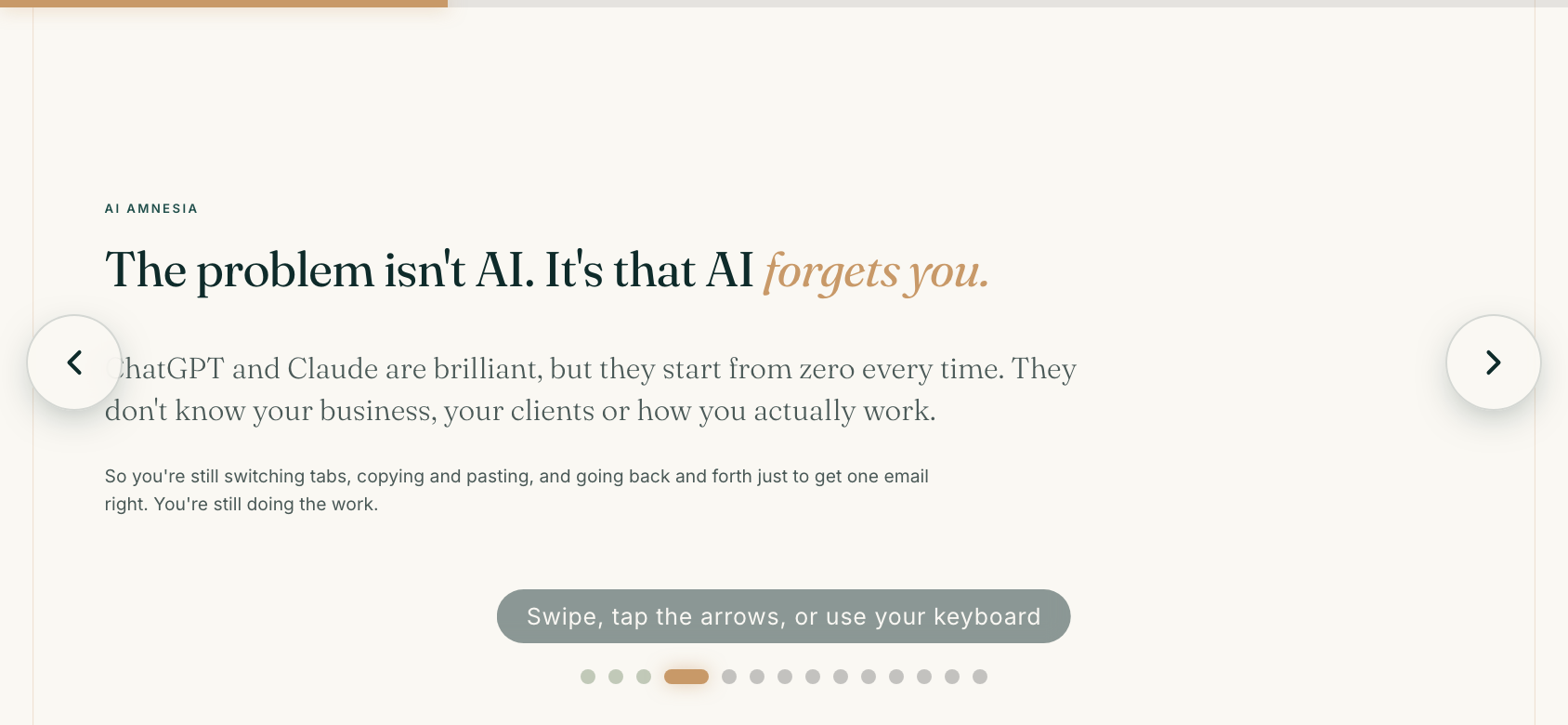
Fills completely, but loses the corner logo.
Fill and keep the logo
Fills the screen edge to edge and keeps the logo and page number (nudged in so they survive). Only the thin outer frame is trimmed. The content always fills and is never cut.
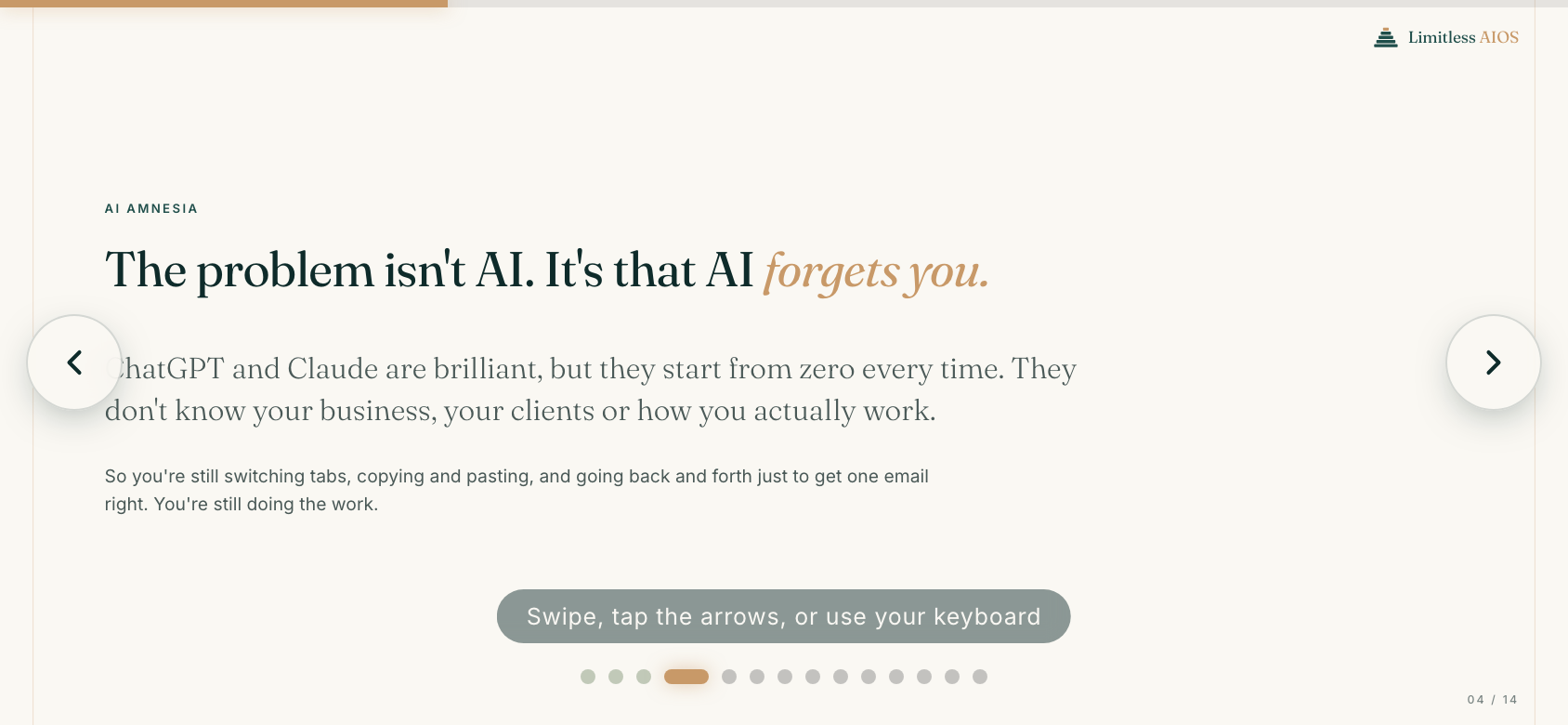
My recommendation: you get the fill you wanted without losing the brand.
Tell me 1, 2 or 3 and I'll set it live on both decks.